Hollywoodbets Aviator: How to Play on Web and App, Two Bets, Auto Play and Auto Cash Out, Live Bets, My Bets and Statistics, Chat, Betting Limits and Cash Out

Aviator is a crash game from studio Spribe, available through Hollywoodbets on the website, mobile site, and app. The idea behind each round is simple: you place a bet before take-off, the plane climbs, the multiplier grows, and your job is to hit Cash Out before the plane flies off the screen. The Hollywoodbets version comes with two betting panels, auto play, auto cash out, live bets, your own betting history, top-win statistics, and an in-game chat.
Below is a breakdown of every interface element, the betting and payout limits, and how withdrawing your winnings actually works.
Hollywoodbets Aviator: quick reference
| Detail | Value |
|---|---|
| Provider | Spribe |
| Game type | Crash game |
| Release year | 2019 |
| RTP | 97% |
| Minimum bet | R1 |
| Maximum bet | R20 000 |
| Bets per round | 2 |
| Maximum win | Up to R10 000 000 per flight |
| Auto Play | Yes |
| Auto Cash Out | Yes |
| In-game chat | Yes |
| Demo mode | Yes |
| Platforms | Website, mobile site, Android app, iOS app |
These limits apply to the version of the game running on Hollywoodbets. The actual betting range is always shown directly in the bet panel and may vary depending on your account and the operator’s current settings.
What is Aviator and how does a round work?

Every cycle in Aviator has two phases.
The first is the betting round (before take-off). While a spinning propeller shows on screen with a message that the next round is coming, you enter your stake in the panel at the bottom and confirm it. Bets placed after this phase closes carry over to the next round.
The second is the flight phase. The plane takes off, the multiplier climbs from 1x as it gains altitude, and at a point already generated in advance, the plane flies off the screen — the round ends.
Your win is calculated as: stake × multiplier at the moment of cash out. If the plane flies away before you hit Cash Out, your stake is lost in full.
The crash point is determined by a random number generator before the round even starts, and it has nothing to do with your stake size, the number of players in the round, or any previous results. The spread of outcomes is uneven — a large share of rounds end on low multipliers, while high multipliers turn up rarely and with no set pattern. For a closer look at how this works under the hood, see what Aviator is and how it actually works.
How to play Aviator on the Hollywoodbets website

- Log into your Hollywoodbets account and make sure there are funds in your balance.
- Open the game. Aviator has its own menu entry, and it also appears under the casino and crash game sections — any route lands you in the same lobby.
- Wait for the game screen to load fully. The first launch can take a bit longer than the ones after it.
- During the betting round, enter your stake in the panel at the bottom of the screen — either manually or with the quick-amount buttons.
- Press BET. Your stake is confirmed once it shows in the panel and appears in the live bets list.
- Once the plane takes off, keep an eye on the rising multiplier.
- Press CASH OUT before the plane flies away. Your winnings land in your balance instantly.
The website version works just like the mobile one — same panels, same round pace, and the same two betting fields. All you need for smooth play is an up-to-date browser and a stable connection, since network delays matter most right at the moment you cash out.
How to play Aviator on the app and mobile site
There’s no such thing as a standalone “Aviator app”. The game opens inside the operator’s general app or in your browser — third-party sites offering an “Aviator app” download have nothing to do with the operator.
Android (APK)
Betting apps aren’t listed on Google Play because of the store’s rules around gambling products in South Africa, so the installer file is downloaded from the official Hollywoodbets site instead. Here’s the process:
- Open the official site in your mobile browser and head to the app download section.
- Download the APK file.
- Allow installation from unknown sources in your phone’s security settings.
- Install the app, log in, and open Aviator from the menu.
Updates don’t arrive automatically through a store in this case — you need to download the new version from the site yourself.
iOS (App Store)
On iPhone and iPad, the app installs the standard way from the App Store. Before installing, check who published the app — the App Store does have unrelated apps floating around with similar names and airplane icons.
Mobile site — when you don’t need the app
The mobile version of the site opens Aviator without installing anything, which suits you if your phone is low on storage or you’d rather not install an APK. Functionality isn’t cut down at all — both bets, auto play, auto cash out, chat, and statistics are all available. For more on how the mobile experience compares, see Aviator on mobile.
Data usage and playing on a weak connection
Aviator doesn’t use much data — most of the load comes from the animation rather than any video stream. Hollywoodbets has a separate data-free version of Aviator, where chat, My Bets, and Top are switched off, but auto bet and auto cash out still work. Keep this in mind if there’s a promotion running with free bets in chat — you won’t be able to claim them in data-free mode.
On an unstable connection, it’s worth setting an auto cash out ahead of time so your exit from the round doesn’t depend on your reaction speed or connection quality.
Aviator game screen: every panel and button explained
This is the map that the sections below refer back to.
| # | Screen area | What it is | What it does | Difference on app/mobile |
|---|---|---|---|---|
| 1 | Top horizontal strip | Multiplier history | Shows results from previous rounds | Fewer values fit — full list opens via an expand button |
| 2 | Centre of screen | Game field | The plane and the current multiplier in flight | Takes up most of the screen |
| 3 | Bottom panel, BET tab | Manual mode | Enter amount, press BET, then CASH OUT | No difference |
| 4 | Bottom panel, AUTO tab | Auto play | Automatic bet placement each round | No difference |
| 5 | Amount field and quick buttons | Stake controls | Quick entry of your bet amount | Quick-amount buttons are more compact |
| 6 | BET / CASH OUT button | Main action | Before take-off it takes the bet; after take-off it locks in the win | No difference |
| 7 | Second bet block | Bet 2 | A second independent bet in the same round | Sits below the first bet on narrow screens instead of next to it |
| 8 | Auto Cash Out toggle and multiplier field | Auto cash out | Automatically takes the win at a set multiplier | No difference; set separately for each bet |
| 9 | Left panel, All Bets tab | Live bets | Every player’s bet in the current round | Collapses into a separate tab or icon |
| 10 | Left panel, My Bets tab | Personal history | Your own bets with cash-out details | Opens through the same side tab |
| 11 | Left panel, Top tab | Statistics | Biggest wins for the day, month, or year | Opens through the same side tab |
| 12 | Right panel | Chat | Player messages and automatic bot Captain messages | Hidden by default, opens via a chat icon |
| 13 | Settings menu | Settings and rules | Sound, animation, Provably Fair, free bets, game rules, round history | Icon in the top corner of the game screen |
On a phone, the side panels are collapsed by default so they don’t block the game field — live bets and chat open in separate icons or tabs and close again with another tap. That’s exactly why chat can look “hidden” on mobile — it hasn’t been disabled, just tucked away.
Two bets in one round: how the double bet panel works
Hollywoodbets’ interface gives you two betting fields — both on the website and on mobile. Both bets play into the same round, but they’re completely independent of each other:
- each has its own stake amount;
- each has its own Cash Out button;
- each has its own separately configured Auto Cash Out and auto play;
- you can cash out one bet at a low multiplier while leaving the other in flight.
A typical combination looks like this: the first bet cashes out early to cover your stake for the round, and the second is a “chaser” aimed at a higher multiplier.
Important: two bets don’t change the maths of the game. RTP stays the same, and your expected return doesn’t improve — only the spread of results changes, giving you a smoother session with less swing, but the overall return share doesn’t grow. Treating two bets as a “guaranteed way to come out ahead” doesn’t hold up.
Auto Play and Auto Cash Out: setup and the difference between them
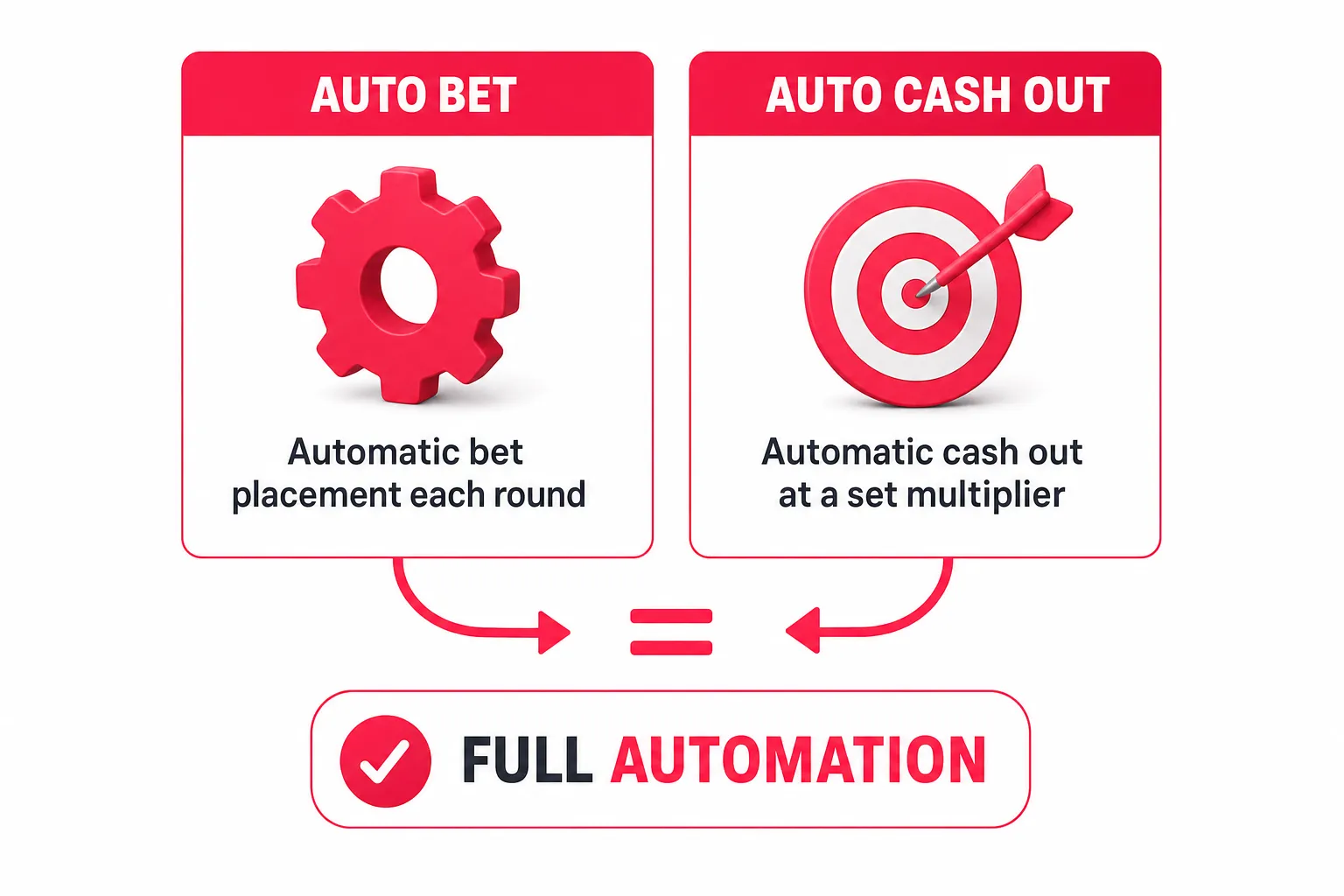
These two functions get mixed up a lot, even though they automate completely different things.
How to turn on Auto Play
Auto play switches on from the AUTO tab in the bet panel. Once active, your stake is placed automatically at the start of every new round, without pressing BET. Cash out, though, stays manual by default — auto play on its own doesn’t take your winnings for you.
How to set up Auto Cash Out
Auto Cash Out is set up in the same bet panel: you enter the multiplier you want, and once it’s reached, your bet cashes out automatically. It’s configured separately for each of your two bets, so you can close the first bet at 1.5x while letting the second ride until 10x. If the plane flies away before your set value, that bet is lost. For a deeper look at combining these settings, see Auto Cash Out and Auto Bet in Aviator.
Win and loss limits in automatic mode
You can automate the whole process — from placing the bet to cashing out — and set win and loss limits in the auto play settings that stop the sequence once they’re hit. This is your main control tool: without limits, auto play keeps placing bets until you stop it yourself.
| Detail | Auto Play | Auto Cash Out |
|---|---|---|
| Where it’s switched on | AUTO tab in the bet panel | Bet panel, multiplier field |
| What it automates | Placing a bet every round | Locking in the win at a set multiplier |
| What stays manual | Cash out, if auto cash out isn’t set | Placing the bet, if auto play isn’t on |
| Set separately per bet | Yes | Yes |
| Main risk | A run of automatic bets with no balance check | Exiting a round too early on a high-multiplier run |
Full round automation means both functions running together, plus win and loss limits set in advance.
Live Bets, My Bets, and statistics: how to read the data
All Bets — live bets
The Live Bets panel sits on the left and shows every player’s bet in the current round: stake amount, cash-out multiplier, and the winnings of anyone who’s already cashed out. It’s useful for getting a feel for the round’s pace, but it has no predictive value — other players’ bets don’t affect the crash point.
My Bets — your personal history
The My Bets tab shows your own bets with cash-out details — amount, multiplier, result. This is your main tool for reviewing a session: it shows your real average exit point, the share of lost rounds, and your actual bankroll spend, which almost always looks different from how the session felt at the time. You can also compare your numbers against wider trends using statistics and multiplier trackers.
Top wins: day, month, year
A separate tab shows the biggest wins for the day, month, or year, along with the stake, the win amount, and the multiplier. This section shows the range of possible outcomes, but it doesn’t reflect a typical result — only exceptional rounds land here.
What the multiplier feed shows — and what it doesn’t
The top strip is a log of past rounds, not a forecast. Each round is calculated independently, so:
- a run of low multipliers doesn’t “build up” the odds of a high one;
- the colour of previous values tells you nothing about the next round;
- the number of players in a round and the size of other people’s bets don’t affect the outcome;
- time of day doesn’t affect how multipliers are distributed.
There’s really one practical use for the feed: getting a sense of the overall spread of results, rather than building a plan around rare values.
In-game chat: the community, bot Captain, and free bets
Chat sits in the right panel of the game screen. Besides player messages, big wins are posted here automatically by bot Captain. On phones, chat opens through a separate icon.
There’s a practical reason to keep chat open — free bets. Under Hollywoodbets’ Aviator promotions, you need to place a bet of at least R10 in the game and keep chat open to take part; once a free bet drops, it’s claimed with the Claim Now button in chat. If chat is minimised, you can miss it.
Tips and “signals” from other players in chat aren’t a forecast and have no bearing on how a round plays out.
Betting limits and maximum payouts in Aviator
| Detail | Value |
|---|---|
| Minimum bet | R1 |
| Maximum bet | R20 000 |
| Bets per round | 2 |
| Maximum win | Up to R10 000 000 per flight |
| RTP | 97% |
If the amount entered falls outside the allowed range, the bet button either won’t respond or the amount snaps back to the nearest allowed value. The current limits are always shown right in the bet panel and can vary depending on your account and the operator’s current settings — it’s worth checking there before placing a large bet.
Maximum bet and maximum payout are two different things — even at a very high multiplier, your win per flight is capped at R10 000 000. For more detail on how RTP and payout limits interact, see Aviator RTP.
Cash Out: cashing out in-game and withdrawing your money
Cashing out a bet during the round
Once the plane takes off, the BET button turns into CASH OUT and shows the amount you’d currently receive. Pressing it locks in your win at the multiplier active when the request is processed, and the money lands in your game balance straight away.
If the request goes through after the plane has already flown off, the cash out doesn’t go through — the bet counts as lost. This is exactly why it’s more reliable to set Auto Cash Out ahead of time when your connection is laggy: it triggers at your chosen multiplier without you needing to do anything.
A full connection drop is handled differently: under the game’s rules, if you lose connection while a bet is active, an automatic cash out happens at the current multiplier and the winnings are added to your balance. For a closer look at exactly how this process works, see how to cash out in Aviator.
Cashing out with two bets
With two active bets in a round, two separate Cash Out buttons show up. You can press them in any order, at different multipliers — closing the first bet doesn’t affect the second. If auto cash out is set on one bet, it closes automatically while the other stays under manual control.
Withdrawing your winnings from your Hollywoodbets account
Winnings from Aviator land in your general account balance, from where they’re withdrawn through standard Hollywoodbets methods — including straight to a bank account or via cash send to collect cash at an ATM. Cashing out in-game and withdrawing money are two separate steps: the game handles the first, the operator handles the second.
- Complete FICA verification — without confirmed documents, withdrawals aren’t available.
- Open the withdrawal section in your account.
- Choose a method and enter an amount within the displayed limits.
- Confirm the request and wait for it to process.
The minimum withdrawal amount, daily limits, fees, and processing times depend on the method and bank you choose, and are listed in your account’s withdrawal section. Withdrawal details must belong to the owner of the gaming account. For the full step-by-step process, see how to withdraw Aviator winnings.
Aviator demo mode: practice without any risk
The demo version reproduces the game’s core rules and features, but runs on virtual credits. It’s a handy way to get familiar with where the panels sit, practise setting up auto cash out, and try the two-bet setup without risking real money.
Two things to keep in mind: demo results don’t carry over to your real balance and don’t predict future money rounds, and the demo doesn’t reflect any particular operator’s betting or payout limits.
Strategies for two bets and auto cash out — and what doesn’t work
No approach changes the game’s RTP or makes the outcome predictable. The techniques below only manage stake sizes and exit points.
The “low and high bet” setup
A common approach among Aviator players: two bets in a round with auto play — one with a bigger stake and auto cash out at a low multiplier (2x or 3x), the other with a smaller stake and a much higher threshold. The first bet covers the round more often; the second occasionally delivers a big result.
A conservative auto cash out ladder
A fixed low threshold (say, 1.3x–1.5x) gives frequent wins and smaller balance swings, but each loss costs several successful rounds, so discipline around stake size matters more here than which multiplier you pick.
Bankroll and session limits
- Set your session budget before you start, and don’t top up mid-session.
- Keep your stake a small share of your budget, so a run of losses doesn’t end your session in a few rounds.
- Use win and loss limits in auto play as an automatic stop.
- Check the My Bets tab regularly — it shows your actual result, not how the last few rounds felt.
Myths that don’t hold up:
- Aviator “predictors”. There’s no guaranteed way to win, and paying for “predictors” isn’t worth it — they don’t have access to the server-side round calculation.
- “Glitches” and a frozen plane. Visual hiccups don’t change a round’s outcome, which is calculated before take-off.
- Colour calling — predicting based on the colour of past multipliers. Rounds are independent; the colour sequence carries no information.
- “Play when there are fewer players in the round.” Player numbers don’t affect the crash point.
- “Big multipliers happen at night.” Time of day doesn’t affect the spread of results.
- “After a run of low multipliers, a high one is due.” This is the classic gambler’s fallacy — each new round’s odds don’t depend on the ones before it.
For a more detailed breakdown of what does and doesn’t help your results, see the best Aviator strategies.
Is Aviator fair? RNG, Provably Fair, and licensing in South Africa
Every round’s outcome is set by a random number generator before the flight starts. Spribe, the developer behind Aviator, uses Provably Fair technology, which lets you check for yourself that a round’s result wasn’t changed after it was generated — this check is available through the game’s menu, alongside the round history and rules.
Hollywoodbets operates in South Africa as a licensed operator; the game itself is supplied by a third-party provider, and the round result is generated on that provider’s side. The operator has no influence over any individual round’s crash point.
Access to the game is limited to verified players who are 18 or older.
Bonuses and free bets on Hollywoodbets Aviator
Welcome offer. New Hollywoodbets clients get a R25 sign-up bonus plus 50 free spins with no deposit needed. The R25 bonus must be used within 24 hours of account activation or it’s cancelled, and this money can’t be withdrawn until it’s been wagered in full at odds of 0.5 (5/10) or higher. The list of products the R25 can be used on is set out in the current bonus terms in your account — check it before betting on Aviator.
Free bets in Aviator. Campaigns handing out bonus bets in Aviator’s chat run periodically rather than all the time. The way to take part is always the same: place a bet of at least R10 in Aviator, keep chat open, and claim the free bet with the Claim Now button.
A few things worth remembering when taking part:
- a bonus bet has a limited window: if it’s not claimed from chat in time, it expires, and once claimed, it must be used before its own expiry;
- under past campaign terms, a bonus bet’s winnings were only counted from a 2x multiplier — the cash-out button only became active from that point;
- exact amounts, timeframes, and giveaway windows are set individually for each campaign.
Examples of past campaign terms, showing the scale and format involved:
- a free-bet campaign of R20, running from 10 to 31 May 2024;
- a R20 free-bet giveaway from 13 to 15 December 2024;
- a giveaway of 250 000 bonus bets from 23 to 27 February 2026, daily from 06:00 to 10:00.
The current status of these kinds of promotions, along with their full terms, is published in the Hollywoodbets promotions section.
What to do if something goes wrong
| Situation | What happens | What to do |
|---|---|---|
| Connection drops mid-flight | Under the game’s rules, an automatic cash out happens at the current multiplier and the win is added to your balance. If a round is cut short by a technical fault, affected bets are voided and refunded | Once connection’s back, check the result in the My Bets tab |
| Game won’t load, black screen | Issue on the device or connection side | Refresh the page, clear your browser cache, check the app version, switch between Wi-Fi and mobile data |
| Bet not accepted | Your tap landed after the betting round ended | Wait for the next round, or use the AUTO tab to place bets automatically |
| Cash out “didn’t work” | The request arrived after the actual crash | Check the multiplier in My Bets; if delays keep happening, use Auto Cash Out |
| Stake amount won’t enter | Value is outside the allowed limits | Enter an amount within the range shown in the bet panel |
| Bonus bet not appearing in chat | Chat is minimised, data-free mode is on, or promotion terms weren’t met | Open chat in the standard version of the game, check the promotion’s terms and dates in the promotions section |
If a round’s result raises questions, the game menu has a round history with Provably Fair verification; for account, deposit, and withdrawal queries, contact Hollywoodbets support.
Registering and finding Aviator: a quick guide
For players who don’t have an account yet:
- Open the official Hollywoodbets site or app and select register.
- Enter your cellphone number, email address, and your ID document details.
- Set a password and confirm you agree to the terms — registration is only available from age 18.
- Complete FICA verification by uploading the required documents — without it, withdrawals aren’t available.
- Top up your account using an available method.
- Log in and open Aviator from the game menu, the casino section, or the crash games section.
Quick checklist before your first round:
- Balance checked and session budget decided.
- You know the betting range shown in the panel.
- You understand where the second bet is and how it works.
- Auto Cash Out set for at least one bet.
- Win and loss limits set for auto play.
- Chat open if a free-bet promotion is running.
FAQ
What’s the minimum and maximum bet on Hollywoodbets Aviator?
The minimum bet is R1, the maximum is R20 000. Actual limits show in the bet panel and can vary by account and operator settings.
What’s the maximum win on Hollywoodbets Aviator?
Up to R10 000 000 per flight. The payout cap doesn’t depend on the multiplier reached.
Can you place two bets in one round?
Yes. The interface has two betting fields, both bets play into the same round, and each is managed independently — with its own Cash Out button and its own auto cash out settings.
What’s the difference between Auto Play and Auto Cash Out?
Auto Play, switched on from the AUTO tab, automatically places bets each round, but cash out stays manual. Auto Cash Out automatically takes your win at a set multiplier. Full automation is both features running together.
Where are Live Bets and My Bets?
In the left panel of the game screen. The All Bets tab shows every player’s bet in the current round, and My Bets shows your own bets with cash-out details. On a phone, this panel is collapsed and opens through a separate tab.
How does the top-wins statistic work?
A separate tab shows the biggest wins for the day, month, or year, with the stake, win amount, and multiplier. These are exceptional results, not typical ones.
How do I get free bets in Aviator’s chat?
During a promotion, place a bet of at least R10 in Aviator and keep chat open. A free bet that drops is claimed with the Claim Now button and has a limited window to use. Campaigns run periodically — check the promotions section for current status.
Is Aviator available in the Hollywoodbets app?
Yes, the game opens inside the operator’s general app on Android and iOS, as well as on the mobile site. There’s no separate Aviator app.
Is there a demo mode for Aviator?
Yes, a version running on virtual credits with the same rules and features is available. Demo results don’t carry over to your real balance.
What’s Aviator’s RTP?
97%. This is a long-term theoretical return figure and doesn’t describe any single session’s result.
Can Aviator be predicted or hacked?
No. A round’s result is set before take-off and can be checked via Provably Fair. There’s no guaranteed way to win, and spending money on “predictors” isn’t worth it.
How long does withdrawing Aviator winnings take?
It depends on the withdrawal method and bank chosen. Withdrawals can go to a bank account or via cash send for cash collection at an ATM; limits and estimated timeframes are listed in your account’s withdrawal section, and FICA verification is required.
Responsible gambling

Aviator is meant for players aged 18 and up, and it stays a form of entertainment, not a way of making money. Every round is independent, and the long-term mathematical edge always sits with the game: an RTP of 97% means a theoretical house edge of 3%.
Practical tools for staying in control include win and loss limits in auto play, deposit limits in your account settings, taking breaks, and self-exclusion. It’s worth deciding on a budget before a session starts and not chasing losses after a bad run — trying to win back what you’ve lost is a recognised sign of problem gambling.
If gambling has stopped being fun, South Africa’s National Responsible Gambling Programme runs a free helpline: 0800 006 008.
For a fuller look at setting limits and recognising warning signs, see responsible Aviator gambling.